

Using Twython Twitter API wrapper to add users to a Twitter List

We are going to create a Python script that will automatically search Twitter for individuals who use the #freeCodeCamp hashtag and add them to a Twitter list of “FreeCodeCampers”. Twitter lists are a way to curate a group of individuals on Twitter and collect all of their tweets in a stream, without having to follow each individual accounts. Twitter lists can contain up to 5,000 individual Twitter accounts.
We can accomplish this by doing the following:
- Installing the necessary Python packages
- Registering an application with Twitter
- Generating and accessing our Twitter credentials
- Making Twitter Search and List API calls
So lets get started.
1. Installing the necessary Python packages
Create a file named addToFreeCodeCampList.py, that will contain our main
script and then import two Python modules into this file:
- Import Config: In the same directory as our
addToFreeCodeCampList.pyscript, create a file namedconfig.pythat stores our confidential Twitter API credentials. We are going to import our API credentials from that file into ouraddToFreeCodeCampList.pyscript by including the lineimport config. Twitter requires a valid API key, API secret, access token and token secret for all API requests. - Import Twython: Twython is a
Python wrapper for the Twitter API that makes it easier to programmatically
access and manipulate data from Twitter using Python. We can import Twython with
the following line
from twython import Twython, TwythonError.
Your addToFreeCodeCampList.py script should now look like this.
    import config
    from twython import Twython, TwythonError
2. Registering an application with Twitter
We need to authenticate our application in order to access the Twitter API. You need to have a Twitter account in order to access Twitter’s Application Management site. The Application Management site is where you can view/edit/create API keys, API secrets, access tokens and token secrets.
- In order to create these credentials, we need to create a Twitter application. Go to the Application Management site and click on “Create New App”. This should direct you to a page that looks similar to the one below.
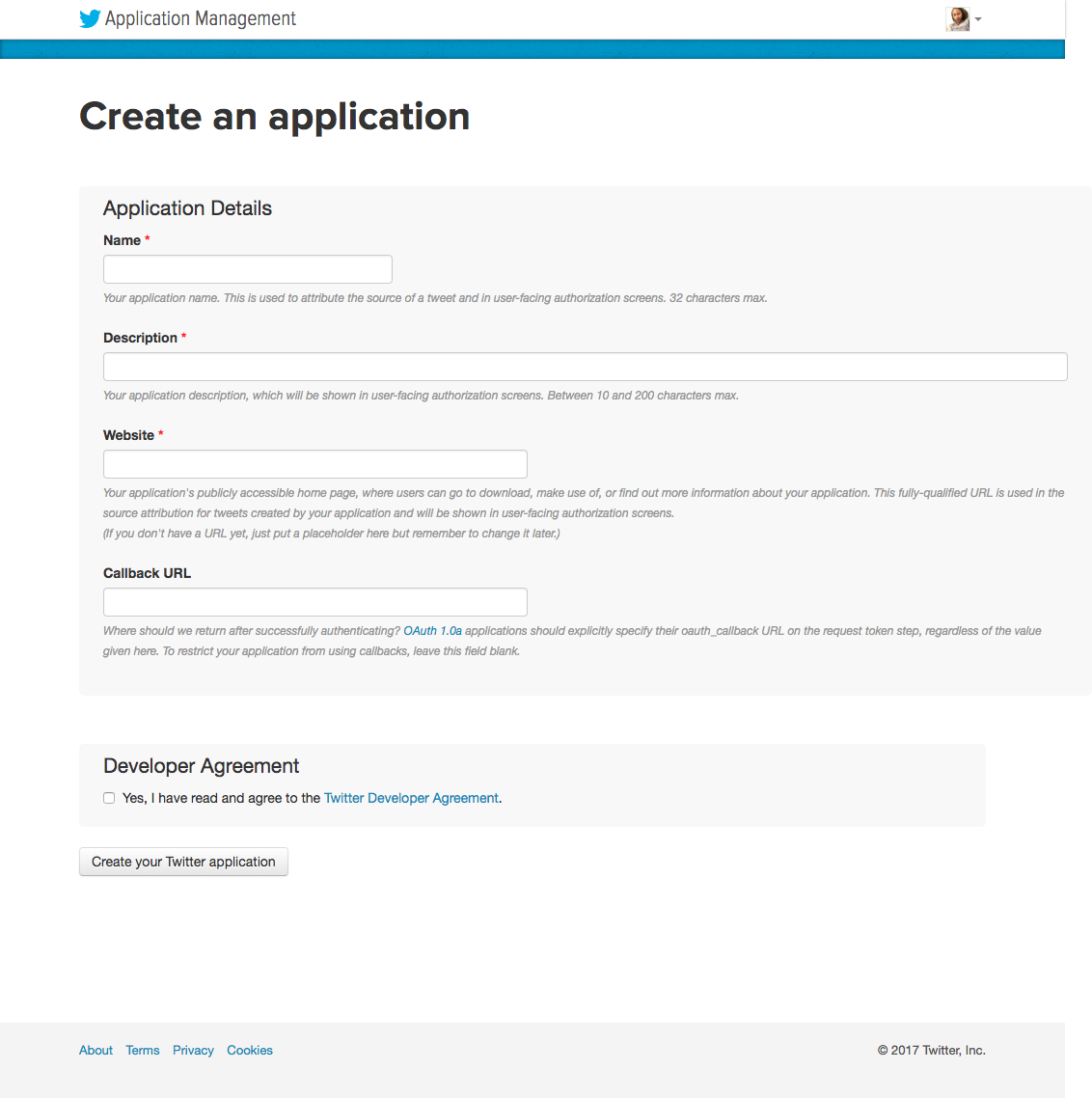
- Fill out of the required fields and click on “Create your Twitter application”. You will then be redirected to a page with details about your application.
3. Generating and accessing our Twitter credentials
- Click on the tab that says “Keys and Access Tokens” and copy the “Consumer Key
(API Key)” and “Consumer Secret (API Secret)” into the
config.pyfile - Scroll down to the bottom of the page and click on “Create my access token”.
Copy the generated “Access Token” and “Access Token Secret” into the
config.pyfile.
- Currently, all of our Twitter credentials live inside our
config.pyfile and we’ve importedconfiginto ouraddToFreeCodeCampList.pyfile. However, we have not actually passed any information between the files.
Let’s change that by creating a Twython object and passing in the necessary API
key, API secrets and API token from our config.py file with the following:
twitter = Twython(config.api_key, config.api_secret, config.access_token, config.token_secret)The addToFreeCodeCampList.py file should now look similar to this:
  import config
  from twython import Twython, TwythonError
  # create a Twython object by passing the necessary secret passwords
  twitter = Twython(config.api_key, config.api_secret, config.access_token, config.token_secret)
4. Making Twitter Search and List API calls
Let’s make an API call to search Twitter and return the 100 most recent tweets
        # return tweets containing #FreeCodeCamp
        response = twitter.search(q='"#FreeCodeCamp" -filter:retweets', result_type="recent", count=100)
Look at the tweets returned from our search
 # for each tweet returned from search of #FreeCodeCamp

 for tweet in response['statuses']:

 # print tweet info if needed for debugging

 print(tweet)
 print(tweet['user']['screen_name'])
A single tweet returned by this API call looks like this in JSON:
 {'created_at': 'Sun Dec 24 00:23:05 +0000 2017', 'id': 944725078763298816, 'id_str': '944725078763298816', 'text': 'Why is it so hard to wrap my head around node/express. Diving in just seems so overwhelming. Templates, forms, post…
  'truncated': True, 'entities': {'hashtags': [], 'symbols': [], 'user_mentions': [], 'urls': [{'url': 'https://t.co/ae52rro63i', 'expanded_url': 'https://twitter.com/i/web/status/944725078763298816', 'display_url': 'twitter.com/i/web/status/9…', 'indices': [117, 140]}]}, 'metadata': {'iso_language_code': 'en', 'result_type': 'recent'}, 'source': '<a href="http://twitter.com" rel="nofollow">Twitter Web Client</a>', 'in_reply_to_status_id': None, 'in_reply_to_status_id_str': None, 'in_reply_to_user_id': None, 'in_reply_to_user_id_str': None, 'in_reply_to_screen_name': None, 'user': {'id': 48602981, 'id_str': '48602981', 'name': 'Matt Huberty', 'screen_name': 'MattHuberty', 'location': 'Oxford, MS', 'description': "I'm a science and video game loving eagle scout with a Microbio degree from UF. Nowadays I'm working on growing my tutoring business at Ole Miss. Link below!", 'url': 'https://t.co/dfuqNNoBYZ', 'entities': {'url': {'urls': [{'url': 'https://t.co/dfuqNNoBYZ', 'expanded_url': 'http://www.thetutorcrew.com', 'display_url': 'thetutorcrew.com', 'indices': [0, 23]}]}, 'description': {'urls': []}}, 'protected': False, 'followers_count': 42, 'friends_count': 121, 'listed_count': 4, 'created_at': 'Fri Jun 19 04:00:44 +0000 2009', 'favourites_count': 991, 'utc_offset': -28800, 'time_zone': 'Pacific Time (US & Canada)', 'geo_enabled': False, 'verified': False, 'statuses_count': 199, 'lang': 'en', 'contributors_enabled': False, 'is_translator': False, 'is_translation_enabled': False, 'profile_background_color': 'C0DEED', 'profile_background_image_url': 'http://abs.twimg.com/images/themes/theme1/bg.png', 'profile_background_image_url_https': 'https://abs.twimg.com/images/themes/theme1/bg.png', 'profile_background_tile': False, 'profile_image_url': 'http://pbs.twimg.com/profile_images/777294001598758912/FVOIrnb4_normal.jpg', 'profile_image_url_https': 'https://pbs.twimg.com/profile_images/777294001598758912/FVOIrnb4_normal.jpg', 'profile_banner_url': 'https://pbs.twimg.com/profile_banners/48602981/1431670621', 'profile_link_color': '1DA1F2', 'profile_sidebar_border_color': 'C0DEED', 'profile_sidebar_fill_color': 'DDEEF6', 'profile_text_color': '333333', 'profile_use_background_image': True, 'has_extended_profile': True, 'default_profile': True, 'default_profile_image': False, 'following': False, 'follow_request_sent': False, 'notifications': False, 'translator_type': 'none'}, 'geo': None, 'coordinates': None, 'place': None, 'contributors': None, 'is_quote_status': False, 'retweet_count': 1, 'favorite_count': 0, 'favorited': False, 'retweeted': False, 'lang': 'en'}
Add Tweet-ers to our Twitter list
In order to add the author of the tweet to our Twitter list we need the username
associated with the tweet tweet['user']['screen_name']
Let’s try to add the users from these tweets to our Twitter list
“FreeCodeCampers”. I created my Twitter list at
https://twitter.com/indigitalcolor/lists/freecodecampers
which means for my script the slug is freecodecampers and the
owner_screen_name is mine, waterproofheart.
for tweet in response['statuses']:

# try to add each user who has tweeted the hashtag to the list
try:
twitter.add_list_member(slug='YOUR_LIST_SLUG', owner_screen_name='YOUR_USERNAME', screen_name= tweet['user']['screen_name'])

#if for some reason Twython can't add user to the list print exception message
except TwythonError as e:
print(e)
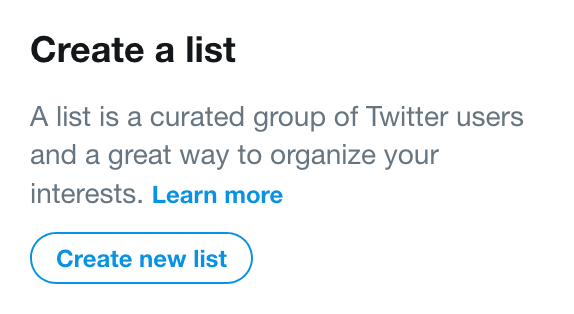
You can create your own Twitter list by navigating to your Twitter profile, clicking on “Lists” on desktop and clicking on the right hand side to “Create new list”. View the official Twitter List documentation for more information.
You can test your script by running python addToFreeCodeCampList.py in the
terminal.
My final script looks like this:
import config

from twython import Twython, TwythonError

# create a Twython object by passing the necessary secret passwords
twitter = Twython(config.api_key, config.api_secret, config.access_token, config.token_secret)

# return tweets containing #FreeCodeCamp
response = twitter.search(q='"#FreeCodeCamp"  -filter:retweets', result_type="recent", count=100)


# for each tweet returned from search of #FreeCodeCamp
for tweet in response['statuses']:
 # print each username if needed for debugging
 # print(tweet['user']['screen_name'])

 # try to add each user who has tweeted the hashtag to the list
 try:
     twitter.add_list_member(slug='YOUR_LIST_SLUG', owner_screen_name='YOUR_SCREEN_NAME', screen_name= tweet['user']['screen_name'])
 except TwythonError as e:
     print(e)
This script can be set to automatically run locally or remotely via a cron job which allows tasks to be performed at a set schedule.
Feel free to tweet at me if you have any questions, suggestions or want to share how you modified this script!
 Follow @monica.dev


 What's this?










This is awesome 👏🏼 👏🏼