

Reducing an array is a helpful functional programming technique to use when you need to reduce multiple values into a single value. Although that single value isn’t limited to being an integer it can be an array, an object…etc. I’ve found reduce to be a handy method to have at your disposal during technical interviews. This article will introduce ES6’s reduce() method and then walk through various ways to use reduce and discuss other built-in methods that abstract reduce() like map() and filter().
The general structure when using reduce() is:
input.reduce(callback, initialAccValue);
// Note: the `initialAccValue` is optional but effects how reduce() behaves
When an initialAccValue is supplied,the callback function is called on every item within the input array. The callback function will then mutate the accumulator until it has gone through every item and it reaches it final value. Thet final value of the accumulator is ultimately the return value of reduce().
input.reduce((accumulator, item) => {
  // What operation(s) should occur for each item?
  // What will the accumulator value look like after this operation?
  // 🚨: the accumulator value needs to be explicitly returned.
}, initialValue);
The reducer function can take up to four arguments and look like
arr.reduce(callback(accumulator, currentValue[, index[, array]] )[, initialValue])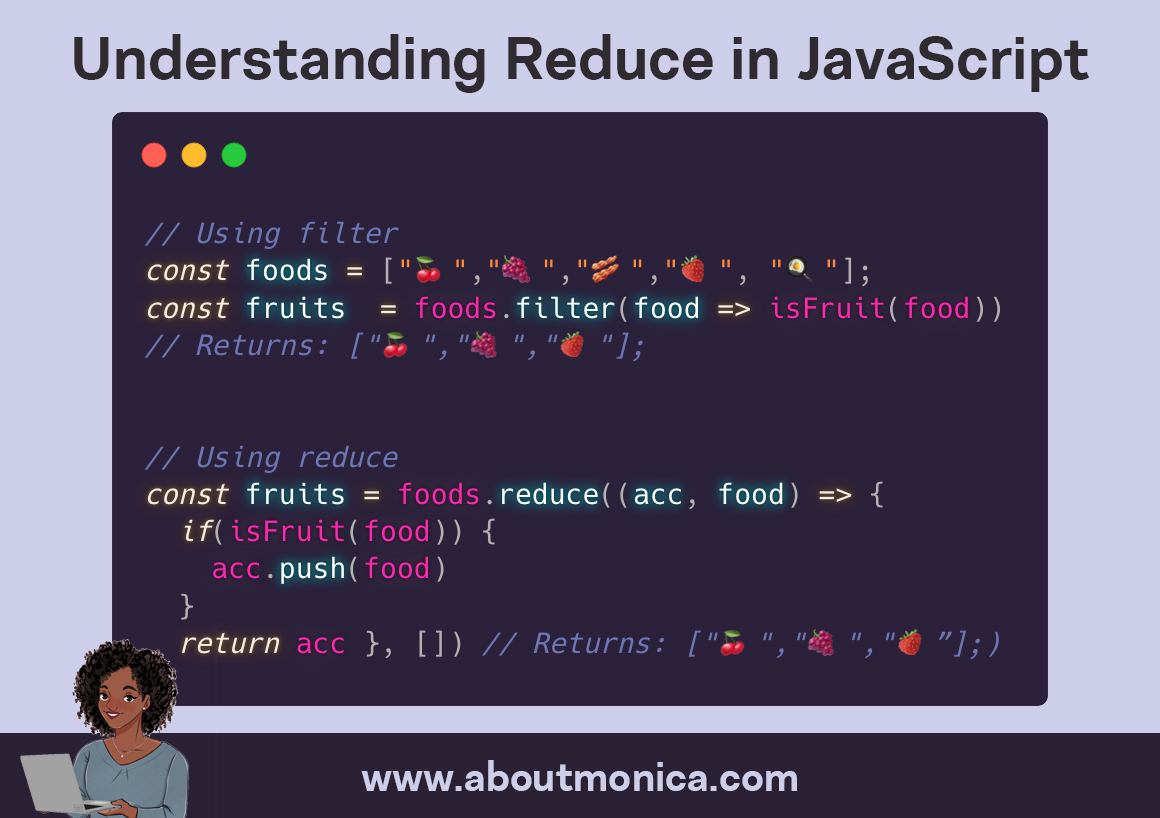
You can read more about reduce() and the index and array parameters at https://developer.mozilla.org/en-US/docs/Web/JavaScript/Reference/Global_Objects/Array/reduce.
Reducing an array to a single number
A common way reduce() can be used is to return the sum of all of the values in an array.
In the below code each item in the values array is added to the accumulator in the callback function. The initial value of the accumulator is explicitly set to 0. During each iteration through the values in input the accumulator grows larger since each time the callback function is called it is passed in the resulting accumulator value from the previous iteration.
const input = [1, 100, 1000, 10000];
const sum = input.reduce((accumulator, item) => {
  return accumulator + item;
}, 0); // 11101
If we walk through each iteration of the above reduce method it will look something like this:
-
accumulator = 0, item = 1
- the returned
accumulator= 1 + 0 = 1
- the returned
-
accumulator = 1, item = 100
- the returned
accumulator= 1 + 100 = 101
- the returned
-
accumulator = 101, item = 1000
- the returned
accumulator= 101 + 1000 = 1101
- the returned
-
accumulator = 1101, item = 10000
- the final (and only number) returned from the reduce function is 11101. This number is reached because 1101 + 10000 = 11101 and 10000 is the last item in the
inputarray.
- the final (and only number) returned from the reduce function is 11101. This number is reached because 1101 + 10000 = 11101 and 10000 is the last item in the
Mapping Items with map() and reduce()
If you want to return a new array that is the result of performing an operation on each item in an array then you can use map() or reduce(). map() allows you to more concisely accomplish this than reduce() but either could be used. The example below shows how to return an array that contains squared versions of numbers in an original array using both map() and reduce().
Using map()
const numbers = [1, 10, 100];
const squared = numbers.map((item) => Math.pow(item, 2));
// [1, 100, 10000]
Using reduce()
const numbers = [1, 10, 100];
const squared = numbers.reduce((acc, number) => {
  acc.push(Math.pow(number, 2));
  return acc;
}, []); // [1, 100, 10000]
Filtering Items with filter() and reduce()
If you ever need to filter out values in an array to only retain values that meet certain criteria you can use either filter() or construct a new array that only is compromised of items that pass the criteria. Below are examples of using filter() and reduce() to only return the even numbers from an array of digits.
Using filter()
const numbers = [1, 2, 3, 4, 5, 6, 7, 8, 9, 10];
const evenNumbers = numbers.filter((number) => number % 2 === 0);
// [2, 4, 6, 8, 10]
Using reduce()
const numbers = [1, 2, 3, 4, 5, 6, 7, 8, 9, 10];
const evenNumbers = numbers.reduce((acc, number) => {
  if (number % 2 == 0) {
    acc.push(number);
  }
  return acc;
}, []);
// [2, 4, 6, 8, 10]
Reducing an array to a single object
Although reduce() has to return a single value but that single value doesn’t have to be an integer or array it can also be an object. The following example will walk through how to reduce an array into a single object. This prompt was taken from VSchool’s reduce practice exercises.
The prompt was:
Given an array of potential voters, return an object representing the results of the vote. Include how many of the potential voters were in the ages 18-25, how many from 26-35, how many from 36-55, and how many of each of those age ranges actually voted. The resulting object containing this data should have 6 properties.
The input of voters looked like:
const voters = [
  { name: "Bob", age: 30, voted: true },
  { name: "Jake", age: 32, voted: true },
  { name: "Kate", age: 25, voted: false },
  { name: "Sam", age: 20, voted: false },
  { name: "Phil", age: 21, voted: true },
  { name: "Ed", age: 55, voted: true },
  { name: "Tami", age: 54, voted: true },
  { name: "Mary", age: 31, voted: false },
  { name: "Becky", age: 43, voted: false },
  { name: "Joey", age: 41, voted: true },
  { name: "Jeff", age: 30, voted: true },
  { name: "Zack", age: 19, voted: false },
];
I ended up writing the voterResults function below which takes in an array that is shaped like the voters array above. I decided to set the initial accumulator value to:
const initialVotes = {
  youngVotes: 0,
  youth: 0,
  midVotes: 0,
  mids: 0,
  oldVotes: 0,
  olds: 0,
};
The initialVotes object was the same shape as the final value I needed the reduce() to return and encapsulated all of the potential keys that would be added and defaulted each to 0. This structure easily captures categories that ended up having a total of 0 at the end and also eliminated the need to have check that the current value of a key existed before incrementing it.
Within the callback function logic needed to be implemented to determine which peer group someone was in based on conditional logic related to their age. That peer data was also used to increment the voting data for their peer group if they voted.
function voterResults(arr) {
  const initialVotes = {
    youngVotes: 0,
    youth: 0,
    midVotes: 0,
    mids: 0,
    oldVotes: 0,
    olds: 0,
  }

  const peersToVotePeers = {
    youth: "youngVotes",
    mids: "midVotes",
    olds: "oldVotes",
  }

  return arr.reduce((acc, voter) => {
    if(voter.age < 26)
      peers = "youth"
    } else if (voter.age < 36) {
      peers = "mids"
    } else {
      peers = "olds"
    }
    if (!voter.voted) {
      // if they didn't vote let's just increment their peers
      // for example for  { name: "Zack", age: 19, voted: false }
      // The peer group would be "youth" and we'd increment acc["youth"] by one
      return { ...acc, [peers]: acc[peers] + 1 }
    } else {
      const votePeers = peersToVotePeers[peers];
      // for example for { name: "Jeff", age: 30, voted: true }
      // The peer group would is "mids"
      // acc["mids"] and acc["midVotes"] are both incremented by one
      return {
        ...acc,
        [peers]: acc[peers] + 1,
        [votePeers]: acc[votePeers] + 1,
      }
    }
  }, initialVotes)
}
The object output from voterResults(voters) is:
{ youngVotes: 1,
  youth: 4,
  midVotes: 3,
  mids: 4,
  oldVotes: 3,
  olds: 4
}
Notes
- Often
accumulatoris abbreviated asacc. - The callback function must explicitly return a value or else
reduce()will returnundefined.
 Follow @monica.dev


 What's this?











Understanding Reduce in JavaScript @waterproofheart aboutmonica.com/blog/2020-03-2…
Understanding Reduce in JavaScript | monica*dev aboutmonica.com/blog/2020-03-2…
aboutmonica.com/blog/2020-03-2…
aboutmonica.com/blog/2020-03-2…
Understanding Reduce in JavaScript: aboutmonica.com/blog/2020-03-2…
Understanding Reduce in JavaScript: aboutmonica.com/blog/2020-03-2…
Entendiendo Reduce en JavaScript. Understanding Reduce in JavaScript. aboutmonica.com/blog/2020-03-2… by @waterproofheart
#TechTalk Thursday! This one from @waterproofheart, founder of @ReactJSLadies, about the reduce technique in #javascript. Have you used this before? What are you going to use it for next? aboutmonica.com/blog/2020-03-2…
Understanding Reduce in JavaScript aboutmonica.com/blog/2020-03-2… #Javascript
Understanding Reduce in JavaScript aboutmonica.com/blog/2020-03-2… #Javascript
Understanding Reduce in JavaScript aboutmonica.com/blog/2020-03-2… #Javascript
aboutmonica.com/blog/2020-03-2… reduce multiple values to a single value.
Understanding Reduce in JavaScript aboutmonica.com/blog/2020-03-2… #Javascript
Yes correct. I'd posit that if performance is a consideration, reduce isn't the best approach to begin with.
Using the spread operator with reduce seems nifty although there may be some performance implications depending on the size of the inputs: richsnapp.com/article/2019/0…
The same principle works with objects. The idea is to avoid modifying function args.
It's a great primer for reduce. One feedback I'd have is to not modify the accumulator. Instead of acc.push(modValue) return acc, you can destructure the elements and return [...acc, modValue] instead.
I strongly object promoting 'reduce' as yet another way of doing 'map' or 'filter'. The key difference is that reduce is linear, while map and filter can be parallelized. This is very important in a world when processors stopped getting faster, but grow in number of cores instead
Good morning! Before start your works short blogpost about reduce in JavaScript! :) aboutmonica.com/blog/2020-03-2…
I've interviewed a hundred developers at this point and struggle to understand how such a detailed question can add much value to an interview. I'd much, much rather she know how to find and read the docs, like this write up, than have the implementation memorized.
Thank you. :)
#javascript
Thanks for this, really useful! I made use of .map with Math.max.apply in a one-line function today (to extract the highest number from a list of IDs), but I didn’t really understand how it works!
Yes, it should start with 1. The correct version should be live now if you refresh (although it may be cached).
This is the best breakdown of reduce I've read, thanks for writing it up. " Although that single value isn't limited to being an integer it can be an array, an object...etc." This is missing from so many write ups and it was the thing that tripped me up so many times
Great article!! 🚀
Very nice! thank you!
Did you mean accumulator=1 in step 2
One to bookmark. I need to go through all my tweet favs and put a ton of learning resources somewhere. Less ephemeral.
It’s late here and I’m still very early mid level in my JS learning so wasn’t sure; but I’ve bookmarked that after a quick read as it seems really useful and clear! I’ll give it a proper read in the morning when my brain is more awake. Cheers for writing & sharing :)
Am I being daft or should “numbers.” in that graphic be “foods.” ?
Oops, yes I need to update that copy 😳. All of the examples in the article should compile!